Shift Work App for European Train Drivers
DB, SNCF, ÖBB, NS, and Network Rail drivers have complex depot rosters and tariff agreements no standard app handles. How Shift It's roster import and custom pay rules cover European rail.
Train drivers at Deutsche Bahn, SNCF, ÖBB, NS, and Network Rail share a common problem: depot-generated rosters in spreadsheet formats that no consumer app is built to import, and tariff agreements with shift structures that don’t map onto any standard overtime framework. Most shift apps are built for hospitality or healthcare, and the assumptions baked into their pay models are wrong for rail.
Shift It is built around a different assumption: that your roster format is unusual and your pay agreement is specific. Both are things you configure rather than things the app decides for you.
Importing a European depot roster
Depot spreadsheets across DB, SNCF, NS, and ÖBB tend to arrive in .xlsx format with columns for train numbers, route identifiers, locomotive types, and other operational data alongside the shift times themselves. Most shift apps fail here because they try to auto-detect what’s a shift column, get confused by the operational identifiers, and either import garbage or refuse the file entirely.
Shift It’s advanced Excel import uses a declaration step: you open the spreadsheet, mark which columns contain shift start and end times, and tell the importer which columns to ignore. The algorithm then parses only the declared shift columns. A DB ICE driver roster with route codes, train numbers, and rostered rest periods in adjacent columns works fine once the relevant columns are declared. The declaration takes a few minutes for a new format; subsequent imports of the same format follow the same structure.
Configuring your tariff agreement
Shift It doesn’t have built-in support for European tariff agreements — the Tarifvertrag (TV-N or GDL agreement in Germany), the convention collective for SNCF drivers, ÖBB’s KV rules, or Network Rail’s roster agreements. What it has is a custom pay rules builder that lets you configure whatever structure applies to your contract.
The custom rules approach covers:
- Base rate and classification — enter your hourly or daily rate at your current grade
- Night and unsocial hours loadings — define the hours that attract a loading and the percentage (e.g. 25% above base for hours before 6 am or after 10 pm)
- Weekend rates — Saturday and Sunday loadings as separate rules, applied only to shifts or portions of shifts that fall within those windows
- Public holidays — a separate rate applied to the public holiday hours; Shift It handles the split correctly when a shift crosses midnight into a holiday
- Rest period and recall provisions — if your agreement includes recall pay when rest is disturbed, that can be configured as an allowance
Once configured, Pay Check applies your rules to each shift and produces the expected gross for a pay period. You compare it to your payslip. If the figures don’t match, the breakdown shows which component is off.
Multi-job and reserve duty
Some drivers combine regular rostered shifts with reserve or standby duties that operate under different rules, or have a second part-time job alongside their rail contract. Each job in Shift It runs its own pay configuration independently. Your main depot contract runs one set of rules; a reserve or second-job entry runs its own. Pay Check produces a separate expected pay figure per job, per pay period.
The calendar and what’s coming up
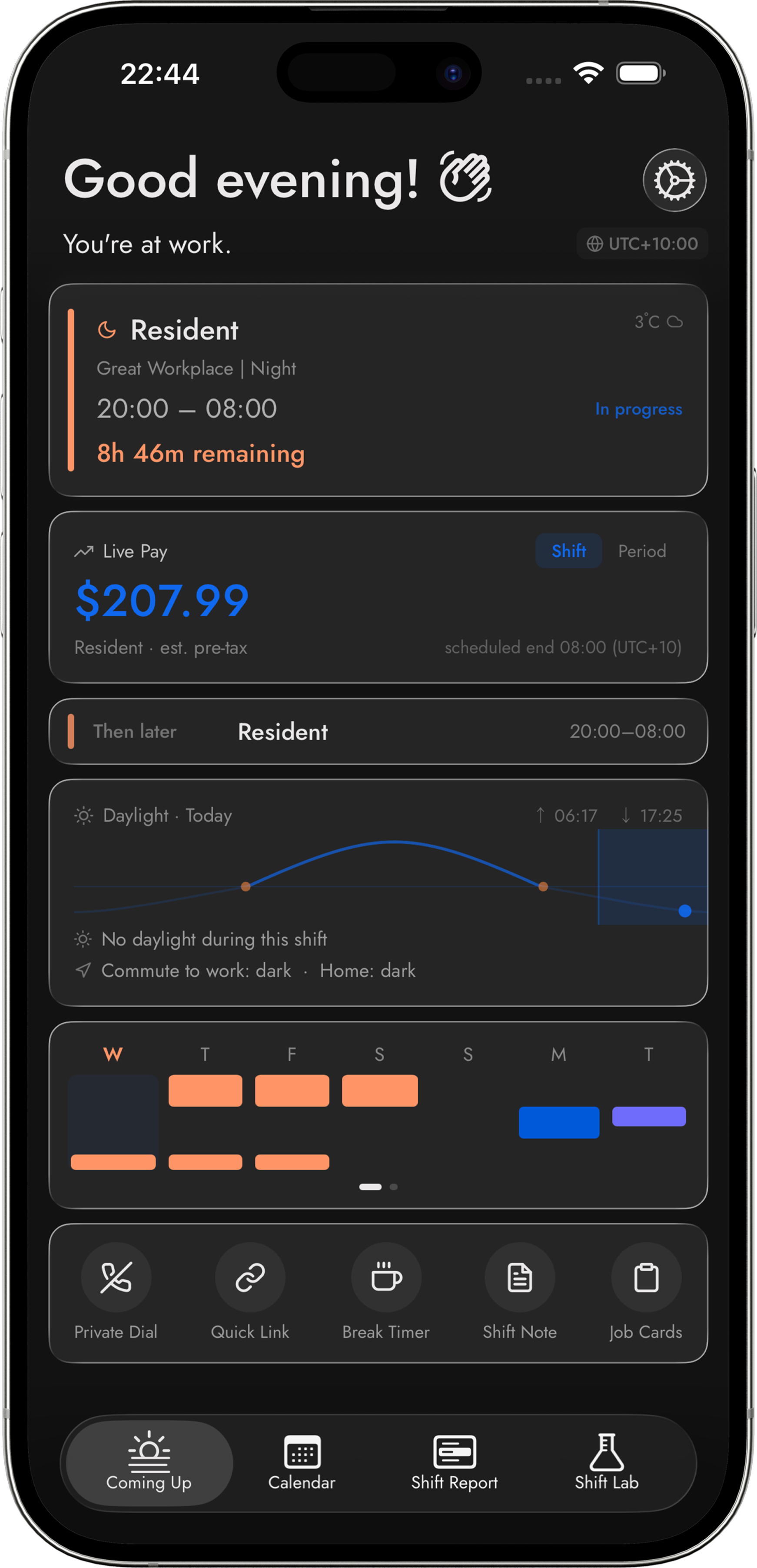
All shifts from all jobs appear in a single calendar view, colour-coded by job. Coming Up shows your next few shifts across all jobs with live earnings ticking during a shift in progress. If you work across multiple depots or routes with different start times and timezones, timezone-aware scheduling ensures shifts display at the right local time.
What isn’t in Shift It yet
Built-in European tariff agreement data — the kind that would auto-populate your rates when you select “DB GDL agreement, grade 5” — isn’t available yet. The custom rules builder covers the same ground but requires the initial configuration. If there’s a specific agreement you’d like built natively, contact us with the details and we’ll assess it for a future update.
The roster import, custom pay rules, and Pay Check comparison are available now on iOS and Android. See the Pay Check page for more on how the calculation works.
Know what you're owed.
Shift It checks your pay against your award automatically. Start free — upgrade when it catches its first mistake.